Security
Security and data protection
Each clinic's data lives in its own database. Sensitive fields are encrypted, every change is logged, and permissions are checked on the server for every request.
In numbers
- encrypted fields across 15 record types
- 55
- record types with a full audit trail
- 52
- roles and 130 permissions, enforced on the server
- 6
- years of audit history kept
- 5
One deployment per clinic
eKlinika is not one big database shared by many clinics. Each clinic gets its own deployment, so one clinic's records cannot show up in another clinic's screens or reports.
- Database
- A separate PostgreSQL database for each clinic. There are no shared tenant tables.
- File storage
- Documents, PDFs and uploads are stored in the clinic's own storage area.
- Application
- The clinic's own application and worker containers, with their own configuration and keys.
Encryption at rest and in transit
55 sensitive fields across 15 record types are encrypted in the database. A copy of the database on its own does not reveal them. All traffic between the browser and the server uses TLS.
Encrypted fields include
- National ID numbers
- Insurance numbers
- Phone numbers and email addresses
- Addresses
- SOAP notes
- Vitals
- Diagnoses
- Messages between staff and patients
- Text indexed for the optional AI assistant
Roles and permissions
Six roles come with the system: Administrator, Manager, Receptionist, Doctor, Nurse and Finance. Together they draw on 130 permissions. The server checks the permission on every request, so hiding a button is never the only protection.
The Administrator role is reserved for SoFloWare support staff. The clinic's own manager handles day-to-day user management.
Sign-in and sessions
Staff accounts are protected in several layers, and staff can see where they are signed in.
- Passwords of at least 12 characters with upper and lower case letters, numbers and symbols, checked against lists of known leaked passwords.
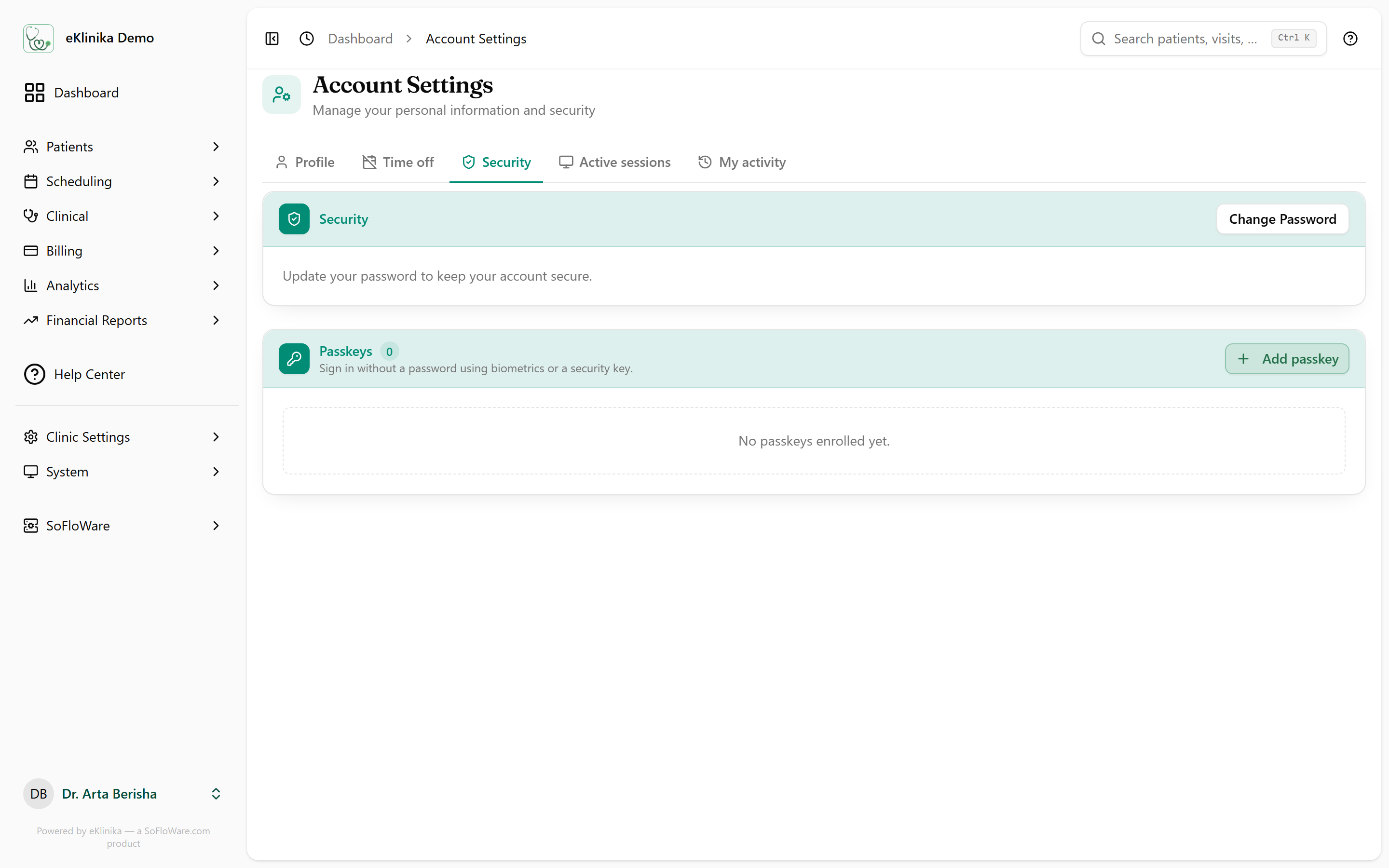
- Passkeys (WebAuthn), so staff can sign in with a fingerprint, face or security key.
- An email alert when an account signs in from a new device.
- A list of active sessions, each of which can be revoked.
- Rate limits on sign-in and on sensitive actions such as data exports.
- Sessions expire after 120 minutes. Session cookies are Secure and HttpOnly.
Audit trail
Every create, update and delete on 52 record types is written to the activity log, with the old and new values.
- Who
- The staff member or patient who made the change.
- When
- The date and time of the change.
- From where
- The login session and IP address it came from.
- Kept for
- Five years.
Application hardening
- Content Security Policy
- A strict policy with a new nonce on every request, so injected scripts do not run.
- HSTS
- Browsers are told to use HTTPS only.
- X-Frame-Options: DENY
- Other sites cannot load eKlinika inside a frame.
- No third-party scripts
- The application loads no advertising, analytics or tracking scripts.
Patient data rights
The tools a clinic needs to answer data requests from patients are part of the product.
- Staff can export what the clinic holds about a patient.
- Patients can download their own data from the patient portal.
- Patients can request deletion. After a 30-day grace period the record is anonymized.
- Consent forms are signed in the clinic, in the portal or from a secure link, and each signature is recorded.
- Retention periods are set per clinic.
Default retention periods
Swipe sideways to see all columns.
| Data | Kept for |
|---|---|
| Sent emails | 365 days |
| Deleted records | 7 years |
| AI assistant chat history | 30 days |
| Login sessions | 365 days |
Records are removed automatically when their retention period ends. The clinic can change each period.
Backups
Backups are encrypted archives that can be sent to off-site destinations. Restore tests open a backup and check the key tables, so the clinic knows a restore works before it needs one.
How backups and restore tests workRegulations
eKlinika is designed to support a clinic's obligations under these laws. The clinic remains the controller of its patient data and decides how the tools are used.
- EU General Data Protection Regulation (GDPR)
- Kosovo, Law No. 06/L-082 on Protection of Personal Data
- Albania, Law No. 9887 on Protection of Personal Data
- North Macedonia, Law on Personal Data Protection (LPDP)
What we do not do
- No advertising or tracking scripts in the application.
- We do not sell patient data.
- No third-party cloud AI by default. The optional assistant runs against a model endpoint the clinic hosts.
See eKlinika with demo data
Tell us about your clinic: country, specialty and team size. We reply by email to arrange a walkthrough.