How it works
How it works
Each clinic gets its own deployment of eKlinika. This page explains how a clinic goes live, where the system runs, and how it is updated, backed up, monitored and licensed.
From first contact to go-live
-
Demo
A walkthrough of eKlinika with demo data, focused on your specialty and the way your clinic works today.
-
Choice of hosting
You decide where the system runs: hosted by SoFloWare, hosted in your country, or on your own server on the Enterprise plan.
-
Your instance is set up
We create the clinic's own deployment with its own database, storage and web address, and apply your clinic settings: language, currency, date and number format.
-
Data import
Patient lists can be imported from spreadsheets. With the migration option we also move data from the system you use today.
-
Users and roles
Staff accounts are created and given roles such as Doctor, Nurse, Receptionist or Finance.
-
Training
Training sessions for your staff, plus built-in help articles and field tooltips for later.
-
Go-live
The clinic starts working in eKlinika. Backups, monitoring and updates run from day one.
Hosting options
The software is the same in every option. What changes is where the server stands and who looks after it.
-
Hosted by SoFloWare
- Where it runs
- EU infrastructure
- Who runs the server
- SoFloWare
- Available on
- All plans
-
In-country hosting
- Where it runs
- A data centre in your country, where local law requires it or the clinic prefers it
- Who runs the server
- SoFloWare
- Available on
- On request
-
On-premise
- Where it runs
- The clinic's own server
- Who runs the server
- The clinic's IT staff, with support from SoFloWare
- Available on
- Enterprise
How an instance runs
- Application and worker
- An application container serves the clinic's web address and a worker container sends email and runs background jobs. A standalone Apache and PHP-FPM server works too.
- TLS proxy
- A reverse proxy in front of the containers, with certificates issued and renewed automatically.
- Database
- One PostgreSQL database per clinic.
- Scheduled jobs
- Reminders, backups, retention cleanup and status checks run on a schedule.
- Health checks
- Each container reports whether it is healthy, so a broken process is noticed.
- Pinned version
- Each clinic runs a pinned version of eKlinika, with a tested way to roll back.
Backups and restore tests
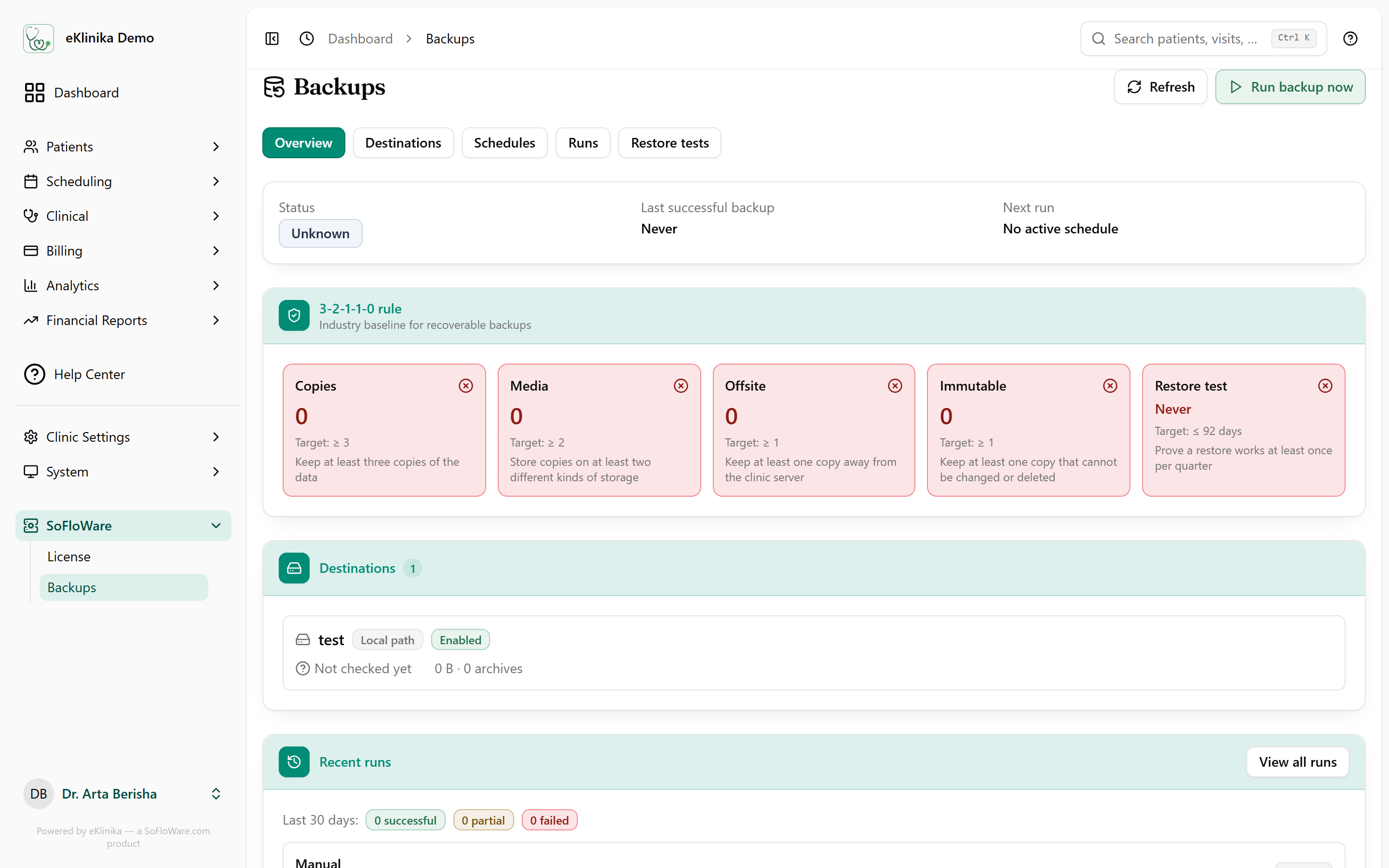
Every backup holds a database dump and the clinic's private files, packed in an encrypted archive.
- Destinations: local disk, SFTP, S3, Azure Blob, Google Drive, Dropbox and WebDAV.
- Schedules are managed in the interface, nightly at 01:30 by default, and a missed run is detected.
- Old archives are pruned by retention rules.
- Restore tests open a backup and check the key tables.
- Backup problems are reported by email.
Licensing
-
Daily check
Each instance confirms its license with SoFloWare once a day.
-
Grace period
If the check fails, the clinic keeps working normally for 30 days.
-
Suspended mode
After that, the system becomes read-only. Records stay visible and nothing is deleted.
What the clinic needs
- A modern web browser.
- An internet connection.
- Computers, tablets or phones. The interface works on small screens.
- No software to install on staff computers.
- For on-premise, modest hosting is enough for a small clinic.
If you leave
Your data stays yours.
- Export patients, visits and reports. Patient lists and seven reports export to Excel.
- Ask for a full backup archive of your instance.
- After the hand-over, we delete the instance and its data on request.
Technology: PHP 8.4, Laravel 12, PostgreSQL 16 or newer, React 19. PDF generation is built in.
See eKlinika with demo data
Tell us about your clinic: country, specialty and team size. We reply by email to arrange a walkthrough.